GA4 Audit Tools Compared: What Each One Checks, Costs and Misses

Qudees Kiani, founder · · 7 min read
Short answer
Most GA4 audit tools read your property's settings through Google's API and score them. They differ in how many checks they run, what the free version includes and what the report looks like. Few visit your live site, and only one describes comparing GA4's revenue with an export of your real orders.
On this page
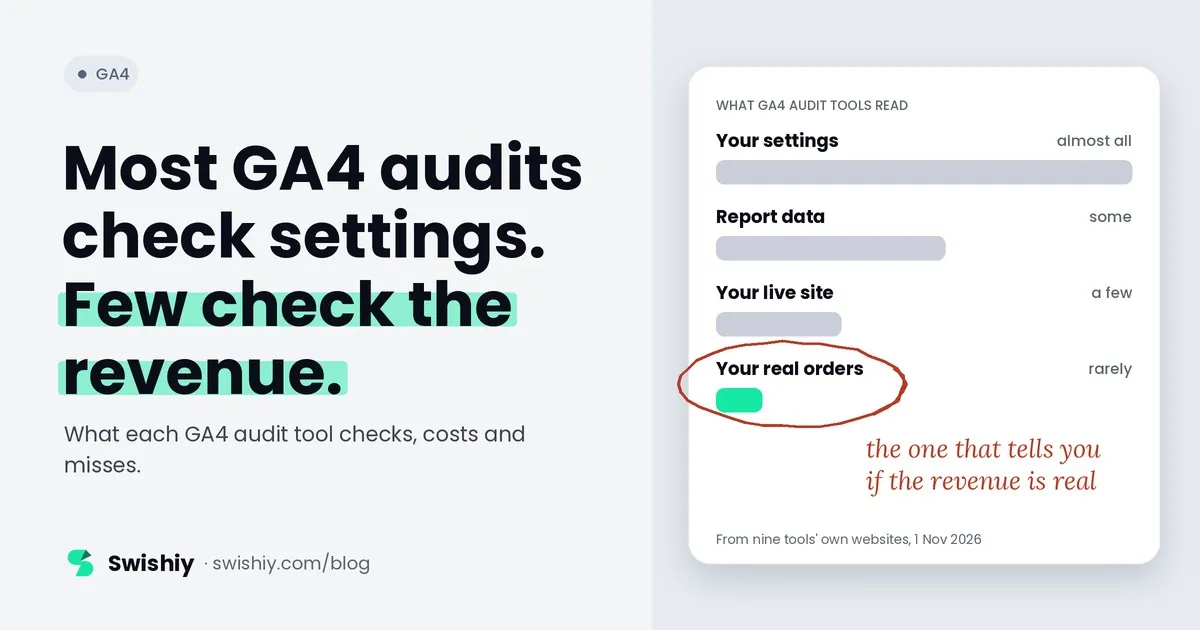
Most GA4 audit tools read your settings. Few check whether the revenue is real. That difference matters more than the number of checks on the pricing page, because a property can pass every settings check and still count orders twice. We make one of the tools below, so we've kept this comparison to what each vendor says on its own site, and we list our own tool's limits next to everyone else's.
What a GA4 audit tool can look at
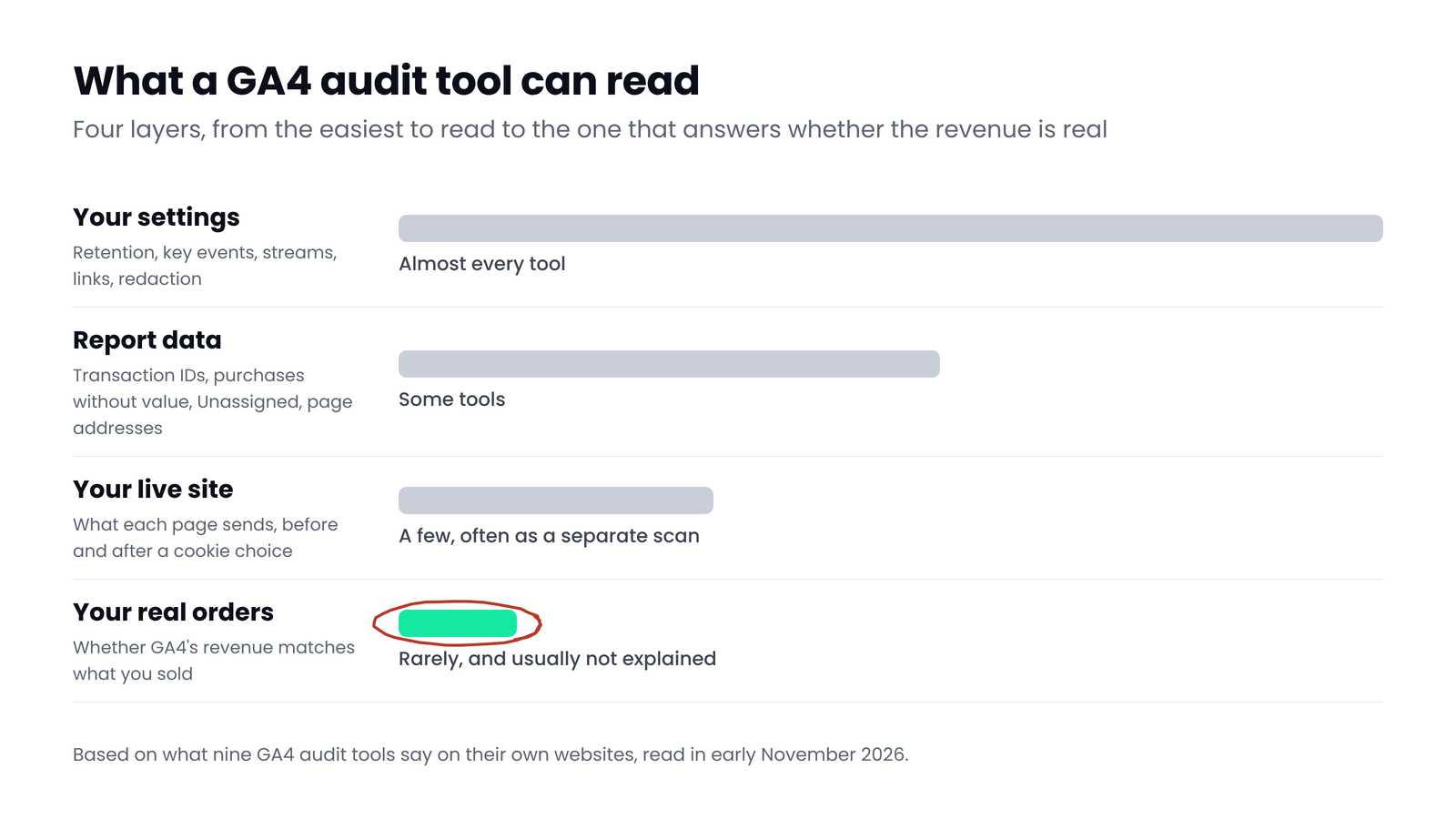
Every tool in this list starts from the same place: you sign in with Google, and the tool reads your property. What it reads after that decides what it can tell you.
| Source | What it shows | Who reads it |
|---|---|---|
| Property settings (Admin API) | Retention, key events, streams, links, redaction | Almost every tool here |
| Report data (Data API) | Purchases, transaction IDs, channels, Unassigned, page addresses | Some tools |
| Your live website | What the site sends, page by page | A few, usually as a separate scan |
| Your real orders | Whether GA4's revenue matches what you sold | Only with an orders upload |
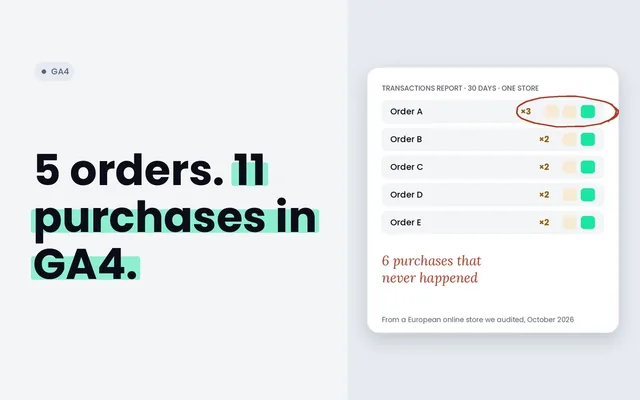
A settings audit is fast and useful: it catches a 2-month retention period, a missing Google Ads link or key events nobody uses. It can't tell you, for example, that 6 purchases arrived twice last month, or that GA4 recorded 20% less revenue than your store. For that a tool has to read the data, and to compare it with something outside GA4.
 (opens the full-size image in a new tab)
Nine tools side by side
Every fact below comes from the vendor's own website, read in early November 2026, except where the vendor doesn't say. "Not stated" means the site doesn't say, not that the tool can't.
| Tool | Reads | Checks | Free | Paid | Report |
|---|---|---|---|---|---|
| Swishiy GA4 Auditor | Settings, 30 days of reports, the live site, and an orders export if you add one | 27 | Full report, with your email | No paid plan | On screen, PDF, Excel, CSV |
| GA4audit.io | GA4 through Google sign-in, read-only | 62 | 1 audit, 28 of 62 checks | $59 or $129 a month | Score and fix plan |
| Tracking Auditor | GA4 and Tag Manager; a separate free checker reads one public page | 40+ GA4, 25+ GTM | A full audit in the browser (monthly, per its FAQ), exports locked | From £79 per audit | Grade A to F, Google Doc and Sheet |
| NiceLookingData | GA4 and Tag Manager settings | 61 GA4, 44 GTM, 3 cross-checks | Up to 3 audits a month | $49 or $199 a month | Score and fixes; PDF on Pro |
| GA4 Helper | GA4 settings, read-only, no data stored; its alerts also read report data | 67 | Unlimited settings checks | Alerts from $19 a month | Health score with admin paths |
| GAfix | GA4, Tag Manager, pixels and compliance | 40+ | Free audit | Monitoring from $99 a month | Health score, issues by severity |
| GA4 Auditor (ga4auditor.com) | GA4 setup and data integrity, plus a crawl of your site for GA4 tags | 100+ data points | None | $99 per audit, or $999 a year for 100 | PDF and PowerPoint; Google Slides on Agency Pro |
| Google's Task Assistant | Your property's setup, inside GA4 | Guided tasks | Built into GA4 | Free | A task list |
| Looker Studio audit templates | Report data through Looker Studio | Varies by template | Free | Some sell a PRO version | A Looker Studio report |
Two other kinds of tool come up in roundups. Crawlers such as ObservePoint check tags across many pages of a site, and monitoring tools such as Trackingplan watch live traffic and alert you to changes. Both are useful, but they answer a different question: is the site still sending what it should, not whether the GA4 setup and its numbers are right.
How to choose
- A quick settings check, free: GA4 Helper or Google's Task Assistant. Good for a new property or a first look.
- GA4 and Tag Manager in one pass: NiceLookingData, Tracking Auditor or GAfix all cover both.
- Branded reports for clients: GA4 Auditor and the paid tiers of GA4audit.io and NiceLookingData offer branded or exportable reports.
- Whether you can trust the revenue: you need a tool that reads purchase data and compares it with your orders. That is the question we built the Swishiy GA4 Auditor for.
- Catching breakage between audits: a monitoring tool, not an audit.
The question almost none of them answer
A store's owner rarely asks whether data retention is set to 14 months. They ask whether GA4's revenue is right. Answering that takes two things a settings audit doesn't have: the purchase events themselves, to find repeated transaction IDs and purchases with no value, and your own order totals, to see how far GA4 is from reality day by day.
GAfix's site says it catches revenue mismatches between Shopify and GA4, without saying how. The Swishiy GA4 Auditor is the only tool here that describes comparing GA4 with an export of your orders: it reads the file in your browser and sends only daily totals. Some others check purchase data for duplicates or missing values, which is a good start. If the revenue question is the one you care about, ask any vendor directly how they answer it.
Myth
More checks means a better audit.
Reality
Check counts mostly measure how many settings a tool reads, not whether it finds the problems that change your numbers. A short list that includes duplicate purchases and revenue against orders can matter more than a long list of settings.
What no audit tool sees, including ours
Every tool here works from read access and a URL, so the same blind spots apply to all of them:
- The thank-you page and the purchase event firing live, because no tool places a real order.
- GA4's change history, which needs edit-level access, and the user list, which needs an extra permission.
- Offline conversions, and whatever happens in your CRM after the lead.
- Some settings Google's API doesn't expose, which tools can only infer from reports.
For those, you still need a person, a test order and your own systems. A good tool tells you where to look first.
Quick check before you pick a tool
Quick check
- Does it read your report data, or only your settings?
- Does it check purchases for repeated transaction IDs and missing values?
- Can it compare GA4's revenue with your orders?
- Does it ask for read-only access?
- What does the free version include, and is the full report free?
- Is there a sample report you can see before you sign in?
Ask yourself
The Swishiy GA4 Auditor is free: 27 checks across purchases, data collection, traffic sources and settings, a live visit of your site, and GA4's revenue against your orders when you add an export. Read-only. Audit my GA4
Frequently asked questions
Is there a free GA4 audit tool?
Several. GA4 Helper checks settings for free without limit, NiceLookingData allows three audits a month, Tracking Auditor gives a full audit in the browser, GAfix runs a free audit, and the Swishiy GA4 Auditor gives the full report free with your email. Google's Task Assistant is built into GA4.
What should a GA4 audit check?
Settings first: data retention, key events, streams, Google Ads links and redaction. Then the data: repeated transaction IDs, purchases without a value or currency, Unassigned traffic, payment pages taking credit, and personal data in page addresses. Ideally, GA4's revenue against your real orders.
Are GA4 audit tools safe to connect?
Look for read-only access. Most tools in this comparison say they only read, and Google's sign-in screen shows exactly what a tool asks for before you agree. Avoid tools that ask to edit your property if all they do is audit it.
Can an audit tool fix GA4 for me?
Most tell you what to fix and where. Changes to tags usually happen in Tag Manager or your site's code, so a person still makes them. Some tools offer guided fixes or paid services on top.
How often should I audit GA4?
After every site release, theme change or Tag Manager publish, and at least once a quarter. Problems in GA4 rarely announce themselves, so a regular check catches them before they reach a report.
Sources
- GA4audit.io: plans and checks: https://ga4audit.io/
- Tracking Auditor: plans and free checker: https://www.trackingauditor.io/
- NiceLookingData: pricing: https://www.nicelookingdata.com/pricing
- GA4 Helper: settings checker: https://ga4helper.com/
- GAfix: free audit and plans: https://www.gafix.ai/
- GA4 Auditor: pricing: https://www.ga4auditor.com/
- Analytics Help: Setup Assistant and Task Assistant: https://support.google.com/analytics/answer/10312255

Qudees Kiani
Founder of Swishiy. Five years of marketing measurement work across Google Ads, Meta and GA4, for ecommerce and lead-gen businesses.
Book a 30-minute callIs your Google Ads data telling the truth?
The free auditor checks tracking, brand vs non-brand and wasted spend. Automated, Google Ads only, 60 seconds.